Writing
Power BI, data, automation and whatever else is on my mind.
Deep Power BI one week, AI and design the next. Useful beats perfect.
How to Connect Your Accounting Software to Power BI: Xero, QuickBooks, Sage and Business Central Compared
Business Central connects to Power BI natively and comes with free Microsoft apps. Sage 50 connects through its ODBC driver and a gateway; Sage 200 through the Sage 200 connector (Standard) or SQL (Professional); Sage Intacct through its API. Xero and QuickBooks Online have no native Microsoft connector as of September 2026, so they connect through third-party connectors, an export pipeline or the API. Here's every route side by side, what each costs, how often it refreshes, and the one thing to check regardless of route.
Group Reporting for Multi-Entity Businesses: Consolidating for Management Without a Consolidation Tool
If you run more than one company, you need two kinds of consolidation: statutory, which your accountant does once a year to the accounting standards, and management, which you need every month to run the group. Xero and QuickBooks Online don't consolidate; Business Central and Sage Intacct do; add-ons like Joiin and Fathom fill the gap for the small-business products. Power BI can do the management consolidation from any of them, and here's how, including the intercompany step that's usually the whole problem.
How to Connect Sage Intacct to Power BI, and What to Model Once You Have
Sage Intacct connects to Power BI through its web services API: either a connector that speaks that API (CData and similar), a staged extract into a database Power BI reads, or custom queries against the API directly. There's no native Microsoft connector. The connection is the easy half. The half that decides whether the report is trusted is the modelling: general ledger detail not reports, dimension IDs not names, credit notes handled, and a trial balance reconciliation on every refresh. Here's both halves.
The CEO Dashboard: One Page, Six Numbers, No Scrolling
A CEO dashboard is one page with six numbers, each against target and last period, each with a twelve-month sparkline, and each with an owner. For most businesses the six are revenue, gross margin, cash, overdue debt, pipeline coverage and one operational number. Everything else is a click away, not on the page. Here's how to pick the six, where each one's data lives, and the design rules that stop it becoming a wall of tiles.
Which Accounting Software Has the Best Reporting? Xero, QuickBooks Online, Sage 50 and Business Central, Honestly
For a single UK company with ledger questions, Xero and QuickBooks Online both report well enough that the choice should be made on other things. Sage 50 wins on retrospective reporting and Report Designer control. Business Central wins outright on reporting depth, dimensions, budgets and its free Power BI apps, at a cost and complexity that only makes sense past a certain size. Here's a feature-by-feature comparison, what each is best at, and the question that matters more than any of it.
Gross Margin by Customer and Product: Why the Ledger Can't Do It Alone
A gross margin report by customer and product needs revenue and cost of sales at the same grain, which means the cost has to be known per invoice line, per item or per job. The P&L gives you gross margin for the business; it can't split it by customer unless the cost was posted with the customer on it. Here's what each accounting system holds cost of sales at, what that lets you report, and how to build the margin report finance directors ask for without inventing numbers.
Why Can't You See All Your Numbers in One Place? And How Growing Businesses Fix It
You can't see all your numbers in one place because each system reports its own slice of the business and someone joins them by hand every month. The fix is one reporting model that reads from each system on a schedule, with one agreed definition per number, built one source at a time. You don't need a new all-in-one system to start.
Cash Flow Dashboard: What to Show Beyond the Bank Balance
A cash flow dashboard shows where the cash is now, what's due in and out over the next few weeks, how that compares with what you expected, and the handful of levers that move it: overdue debtors, creditors you could stretch, stock tied up, and the payroll and VAT dates ahead. The bank balance is one tile out of seven. Here are the seven, where each one's data lives, and how the dashboard differs from the 13-week forecast it sits next to.
Do You Need an AI Policy? A One-Page Template for a Small Business
Yes, and it can fit on one page. Your staff are almost certainly using AI tools at work already, so the policy's job is to give them a safe, approved way to do it: which tools, what never goes in, who checks the output, and who owns the page. Here's a ten-section template with wording you can adopt, and a two-week plan to roll it out.

Data Decoded Manchester: one slide, six systems, 100% live demo
My first Data Decoded. One slide, then a fully live demo: Claude built a board-level Power BI report across six systems through Tugger.
Is Microsoft 365 Copilot Worth It for a Business Your Size?
Microsoft 365 Copilot is worth it for the people who spend their day in Outlook, Teams, Word and Excel, once your file sharing and permissions are tidy. It isn't worth buying for everyone at once. Start with the free Copilot Chat, license your heaviest users on Copilot Business (£16.10 per user per month paid yearly, ex VAT, as of September 2026), and measure before you buy more.
Business Central Reporting: Financial Reports, the Free Power BI Apps, and When You Need More
Business Central has three layers of reporting: the built-in reports and Financial Reports (formerly Account Schedules), Excel and the analysis mode, and Microsoft's nine free Power BI apps for Finance, Sales, Purchasing, Inventory, Projects, Manufacturing and more, which were open-sourced in October 2025. Most businesses should install the apps before building anything. Here's what each layer covers, the licence facts, and the three cases where you still need a custom model.
KPI Report Template: What to Include, and Why Most Have Too Many KPIs
A KPI report template is six columns, not a layout: the KPI, its definition, the formula, the source system, the owner, and the target. Fill those in for each KPI and the report almost designs itself. Most KPI reports fail because they have twenty KPIs with no definitions, so the meeting argues about what the number means instead of what to do. Here's the template as a table, how to pick the six to ten that matter, and where each one's data actually lives.
Sage 200 Reporting: Report Designer, Excel Integrated Reporting or Power BI?
Sage 200 gives you three reporting tools: Report Designer for the documents and standard reports, Excel Integrated Reporting for finance-built workbooks, and the workspaces and lists inside the product. Power BI is the fourth, and how it connects depends on which Sage 200 you run: Standard goes through the Sage 200 Power BI connector and the API, Professional usually connects straight to the SQL database. Here's what each tool is for, where they run out, and the reconciliation check that makes any of it trustworthy.
Month-End Reporting Checklist: The Pack, the Order, and What to Automate First
Month-end reporting is the close (reconcile, accrue, post, lock) followed by the pack (P&L vs budget, balance sheet, cash, debtors, KPIs, commentary). Most of the time goes on the pack, and most of the pack can produce itself once the ledger is closed. Here's the checklist in order, who owns each step, which steps a model can take over, and which should stay with a person.
HubSpot Reporting: When the Built-in Dashboards Run Out, and How to Connect HubSpot to Power BI
HubSpot's reporting is good for anything that lives inside HubSpot: pipeline, deal velocity, activity, marketing attribution, service tickets. It runs out when you hit your plan's dashboard and report caps, when the people who need the numbers don't log into HubSpot, or when the question needs your accounts data too. There's no native Microsoft connector for HubSpot, so here are the routes that work, what each costs, and what to model.
ChatGPT, Claude or Copilot: Which Should Your Business Pay For?
If your business runs on Microsoft 365, start with Copilot: it works inside your files and respects the permissions you already have. If it doesn't, ChatGPT Business and Claude Team are strong general assistants at similar prices. Either way, buy a business plan, never a personal one, and check what your data looks like before you trust its answers.
CRM Reporting: The Six Questions Your CRM Reports Should Answer
CRM reporting should answer six questions: what's in the pipeline, what's moving, what's stuck, who's doing the work, what we won and lost and why, and what those customers are actually worth. HubSpot, Dynamics 365 Sales, Salesforce and Pipedrive answer the first four well out of the box. The last two need the finance system, and that's where CRM reporting usually stops. Here are the six, what each CRM gives you, and how to get the two the CRM can't.
Sage 50 Reporting: Getting Past the Report Designer
Sage 50 Accounts has a large standard report library, a Report Designer for changing layouts, and an Excel link. That covers ledger questions for most small businesses. Where people get stuck is trend reporting, joining Sage 50 to anything else, and sharing reports with people who don't sit at a Sage PC. Sage 50 ships an ODBC driver, which is how Power BI reads it. Here's what the built-in reporting does well, when to go beyond it, and how the ODBC route works in practice.
Budget vs Actual: The Report Every MD Asks For, and How to Make It Update Itself
A budget vs actual report shows what you planned to spend or earn, what actually happened, the difference, and the difference as a percentage, by line and by month. Every accounting system can produce one if the budget is loaded in it. The reasons it turns into a monthly spreadsheet job are the budget living in Excel, the actuals needing reclassifying, and the commentary. Here's where budgets live in Xero, QuickBooks, Sage 50, Sage 200 and Business Central, the variance formula, and the shape of a version that updates itself.
QuickBooks Online Reporting After the Power BI Connector Was Retired
Microsoft retired its QuickBooks Online connector for Power BI in August 2025 and has said there's no replacement planned. If you had reports on it, their scheduled refresh stopped. Here's what QuickBooks Online's own reporting still does well, the three routes that now get QuickBooks data into Power BI, and how to pick between them.
The Aged Debtors Report: Where It Lives in Your System, and Why the Standard One Gets Ignored
Every accounting system has an aged debtors report and most of them show the same thing: who owes you what, bucketed by how overdue. Xero, QuickBooks, Sage 50, Sage 200 and Business Central all do it well. The reason it gets ignored is that it's a snapshot with no owner, no trend and no promise-to-pay. Here's where the report lives in each system, what it lacks, and what a version people act on looks like.
Can Xero Produce Management Accounts? Yes, and Here's Where It Stops
Xero can produce a monthly management accounts pack on its own: the Management Report bundles the Executive Summary, Cash Summary, P&L, Balance Sheet, Aged Receivables and Aged Payables, and it takes about ten minutes to set up. Where it stops is commentary, KPIs that aren't ledger ratios, anything from outside Xero, and consolidation. Here's what the pack gives you, what a board-grade pack adds, and when to build the second one.
Xero Reporting: What It Does Well, Where It Stops, and How to Put Power BI on Top
Xero's own reporting covers the ledger well: P&L, balance sheet, aged debtors, the Management Report pack, and on the Ultimate plan a set of KPIs. Power BI earns its place when you need Xero joined to your CRM or job system, reports for people without a Xero login, or a model the ledger doesn't hold. There's no native Power BI connector for Xero any more, so here's how the connection actually works and what it costs.
KPIs, Metrics and Measures: What's Actually the Difference?
A metric is any number you track. A KPI is a metric with a target and an owner, tied to whether the business is winning. A measure is the Power BI calculation that produces the number. Three plain-English definitions you can use in a meeting, and why the difference decides what gets built.
Who Owns Your Power BI Estate When the Consultant Leaves?
You should own all of it: the tenant, the licences, the workspaces, the source files and the documentation, with the consultant working as a guest in your environment. Here's every asset that changes hands, the hostage patterns that stop it, and what to check before you sign.
Power BI Governance for Small Businesses: The Minimum That Keeps You Safe
A small business needs five Power BI governance controls, not a framework: a deliberate workspace structure, access through groups, one home for measure definitions, a named refresh owner with alerting, and changes written down. Here's each one, the effort it takes, and what it prevents.
What "Self-Service BI" Actually Means (and Why It Fails)
Self-service BI means people answering their own data questions without queuing for IT. It fails when it's interpreted as everyone building their own models from raw exports. The version that works sits self-service on top of one shared, governed model, and it's smaller than you think.
Moving Old Reports into Power BI Without Losing Trust
Migrating reports to Power BI means rebuilding them, not converting them, and the new numbers must reconcile with the old report side by side before anyone switches. Here's what a migration actually involves, what it costs at a published rate, and why parallel running is non-negotiable.
The Questions to Ask Before Signing a Power BI Support Contract
Ask who actually answers, whether you're buying hours or availability, what happens to unused time, and how you leave. The pricing is the easy part to compare. These four determine whether the arrangement is worth anything on the day you need it.
The Signs You've Outgrown Your Reporting
You've outgrown your reporting when month-end takes days of copy-paste, two reports answer the same question differently, and everything stops when one person is on holiday. Here are the observable signs, what to do about them in order, and what to skip.
Colour-Blind-Safe Power BI: Reports Everyone Can Read
I'm red-blind, and I build Power BI reports for a living. The rules that make a report readable for colour-blind users are simple: never let colour carry meaning alone, use a tested palette, and keep luminance contrast doing the real work. Here they are, with the palette.
Fabric Readiness: What to Check Before You Buy a Capacity
Before buying a Microsoft Fabric capacity, check five things: your real refresh and usage patterns, the three-year cost against what you run now, which workloads actually need Fabric, which parts of your estate should not move, and who will run it. Here is the checklist.
What You Should Receive When a Power BI Project Ends
A Power BI handover should include the source files, the model documentation, a data source inventory, admin access, and proof the numbers reconcile. Here is the full checklist, and what each missing item costs you later.
How Many Pages Should a Power BI Report Have?
Between one and five for most business reports, and the number matters far less than whether each page has a single job. A twelve-page report where every page answers one question is fine. A three-page report where each page answers four is not.
What Makes a Power BI Model AI-Ready?
Copilot answers from your model's definitions, not from your data. If your tables are called Query1 and you have four measures that all mean revenue, AI will answer confidently and wrongly. Getting ready is mostly naming, descriptions and deciding what things mean.
Fixed Price or Day Rate: How Should You Buy Power BI Work?
Fixed price protects you when the work is knowable. Day rate protects you when it isn't, because a fixed price against unknown data is either padded or heading for a change request. The trick is knowing which side of that line your project sits on.
Why Nobody Opens Your Dashboards
Adoption fails for three reasons: the report answers questions nobody asked, people don't trust the numbers, or it takes too long to find the one figure they came for. All three are design problems, and none are fixed by training.
How to Tell If You Have a Data Quality Problem
You don't need a tool to diagnose this. If two reports disagree, if month-end involves manual corrections, or if people check figures against their own spreadsheet before believing them, you have one. Here's how to work out how deep it goes.
Freelancer, Consultancy or Agency: Who Should Build Your Power BI Reports?
Freelancers are cheapest per day and carry the highest continuity risk. Consultancies cost more and cover the gap when someone is ill. The right answer depends less on your budget than on how long you need the relationship to last.
What Microsoft Fabric Actually Is, in Plain English
Fabric is Microsoft bundling its separate data tools into one product you buy as a block of compute rather than per person. If your reporting problem is that reports disagree with each other, Fabric is not the answer to it.
Row-Level Security, Explained for Business Owners
Row-level security means one report where each person sees only their own slice of the data: their region, their branch, their accounts. It's cheap to design in from the start and expensive to bolt on later, which is why it belongs in the first conversation rather than the last.
Power BI Training: What a Day Costs in the UK and What It Covers
My published Power BI training rates run from £750 for a 1-2-1 day online to £1,500 for an in-person team day of up to ten people, and every day includes a half-day of prep on your own data. Here is the full price table, what each format buys, and when training beats hiring a consultant.
Why Your Power BI Refresh Keeps Failing
Nearly every failing Power BI refresh comes down to one of four causes: expired credentials, a gateway problem, a source that changed shape, or a timeout. Here is how to tell which one you have, what fixing each involves, and why the failures you don't hear about are the expensive ones.
Power BI vs Excel: When the Spreadsheet Is the Right Answer
Excel wins for modelling, one-off analysis, and anything where the person doing the work is the only person who needs the answer. Power BI wins when the same question gets asked repeatedly by people who need to trust the number without rebuilding it.
What to Prepare Before You Brief a Power BI Consultant
The best brief answers two questions: which decisions should this reporting support, and who makes them. Bring those, your systems list and an access owner. Skip the chart mock-ups and the forty-page requirements document.
Why Is Your Power BI Report Slow?
Ranked by likelihood: the shape of the data model, pages doing too much, DirectQuery used where it shouldn't be, and only then the DAX. Match your symptom to the likely cause, and what fixing each one honestly takes.

I raced an AI in Budapest, and it fell over on colour
Shift+Enter Summit, 4 September, Budapest. I built a dashboard live in 45 minutes while an AI built one from the same brief on the same clock. It got the numbers right and the reading wrong.
What Is a Semantic Model? A Plain-English Answer
A semantic model is one agreed set of definitions for your business numbers: the data, how it connects, and every calculation defined once. Reports are windows onto it, which is why the model, not the dashboard, is the thing you're actually buying.
How Long Does a Power BI Project Take?
A fix takes hours, a single dashboard takes days, a first reporting system takes about three weeks, and a multi-department build takes months. The build is rarely the slow part: data quality, access and unmade decisions are what stretch a Power BI timeline.
Power BI for Small Businesses: What You Actually Need
Most UK small businesses need four tables, two questions answered properly, and about £11 a month per person in licensing. Almost everything else sold under the heading of business intelligence is for a company several sizes larger than yours.
How Much Does a Power BI Dashboard Cost to Build?
A single well-built report on data that is already clean runs into the low thousands. A reporting system several people depend on is closer to £9,500. The variable that moves the number most is not the dashboard at all, it's the state of the data underneath it.
What Power BI Licensing Actually Costs in the UK (2026)
Power BI Pro is £10.80 per user per month and Premium Per User is £18.50, both paid yearly, on Microsoft's UK price list as of September 2026. The harder question is when you stop paying per person and start paying for capacity, and the answer turns on one number: F64.
How to Choose a Power BI Consultancy in the UK
Choose on five things you can verify: published pricing, who actually does the work, evidence of delivery, size fit, and what you own at the end. Includes the kinds of firm to shortlist when I am not the right answer.
What's Actually in a Power BI Health Check
A proper Power BI health check is a scored review against a written standard: 48 checks across six areas, each returning Healthy, Watch or Critical. Here's exactly what gets checked, how the scoring works, and what the report card looks like.
Business Intelligence Tools for UK Small Businesses: Which One, and When You Actually Need One
A small business needs a business intelligence tool when its reporting has to combine more than one system, reach more than a few people, or update without someone rebuilding it. Until then, the accounting system and a tidy spreadsheet are enough, and that's fine. Here's how to tell which side of that line you're on, and what the realistic options are for a UK SME.
How Much Does Business Automation Cost in the UK?
Business automation in the UK costs anything from nothing, when your existing software already does the job, to a quoted agency project with robot licences paid every month. In between sit tool subscriptions you set up yourself, freelancers on day rates around £500, and fixed-price builds. The cost people forget is the upkeep when a supplier changes something.

Five bronze awards, and the one that made me laugh
Five emails turned up eleven minutes apart on a Friday night. Two of the awards are mine, three belong to a team of volunteers, and one of them is very funny if you have ever met me.
Power BI Support: What £250 a Month and £1,750 a Month Actually Buy
Published UK Power BI support retainers run from £250 a month to £8,250. The gap is not thirty three times the work. Here is what each band actually includes, and the two questions that tell you which one you need.
How Much Does a Power BI Consultant Cost in the UK? (2026)
UK Power BI contract day rates run £320 to £656, median £490 (ITJobsWatch, six months to 26 August 2026). But day rate is only one of four ways this work gets priced. Here is what each shape costs, what it does to your risk, and every price I charge.
Is Power Automate Included in Microsoft 365? What You Get Without Paying Extra
Yes. Microsoft 365 Business Basic, Business Standard and Business Premium all include Power Automate for flows that use standard connectors, which covers Outlook, SharePoint, Excel Online, Teams, OneDrive, Forms and plenty of third-party apps. Premium connectors, the HTTP action and running desktop automations from the cloud need Power Automate Premium at £11.50 per user per month, paid yearly.
The Daily Sales Report That Builds Itself Before You Get In
A daily sales report shows yesterday's sales against the same day last year and against target, month to date, by the two or three splits that matter, on one page, in your inbox before 8am. Here is what goes on it, what to leave off, and how to have it arrive every morning without anyone building it.
Where to Start Automating Finance Admin
Start with the finance admin your accounting software already automates, like bank rules, repeating invoices and invoice reminders, because switching those on costs nothing. Then build the jobs that join systems together, with a credit control digest as the best first one. The list below ranks every common finance admin job by how good a first automation it makes, alongside what Xero, QuickBooks and Sage already do.
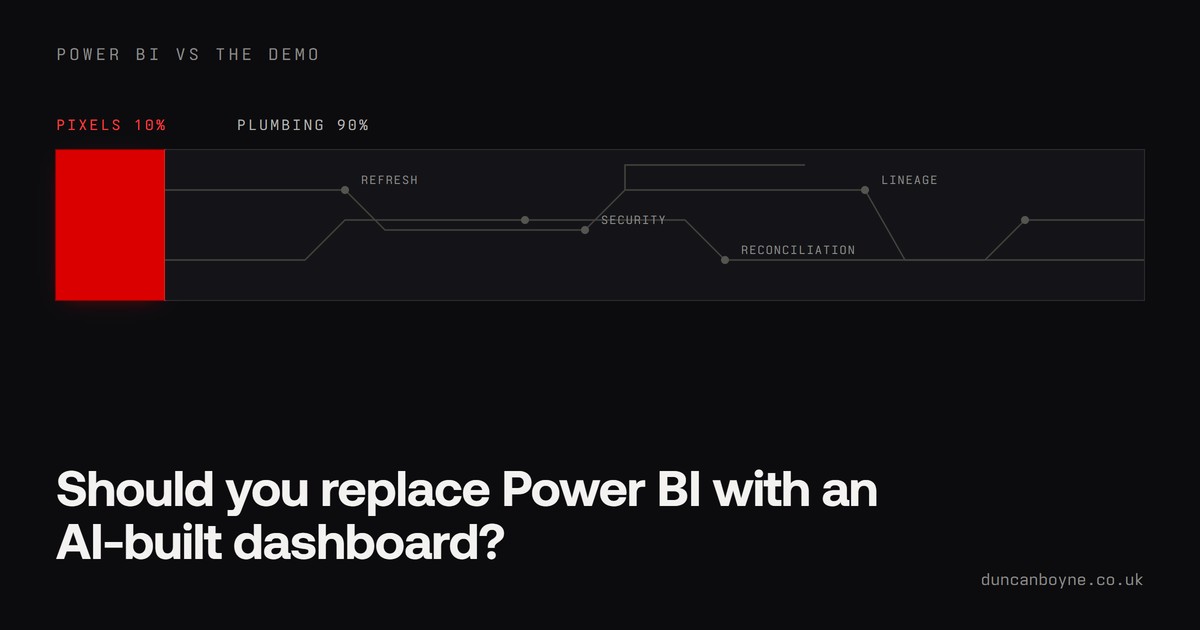
Should You Replace Power BI with an AI-Built Dashboard?
A CEO sees an AI-built dashboard, calls it stunning, and asks why you still pay for Power BI. It happened on r/PowerBI this week and it is coming to a meeting near you. What the demo is not showing, when a web app genuinely wins, and what to say in that meeting.
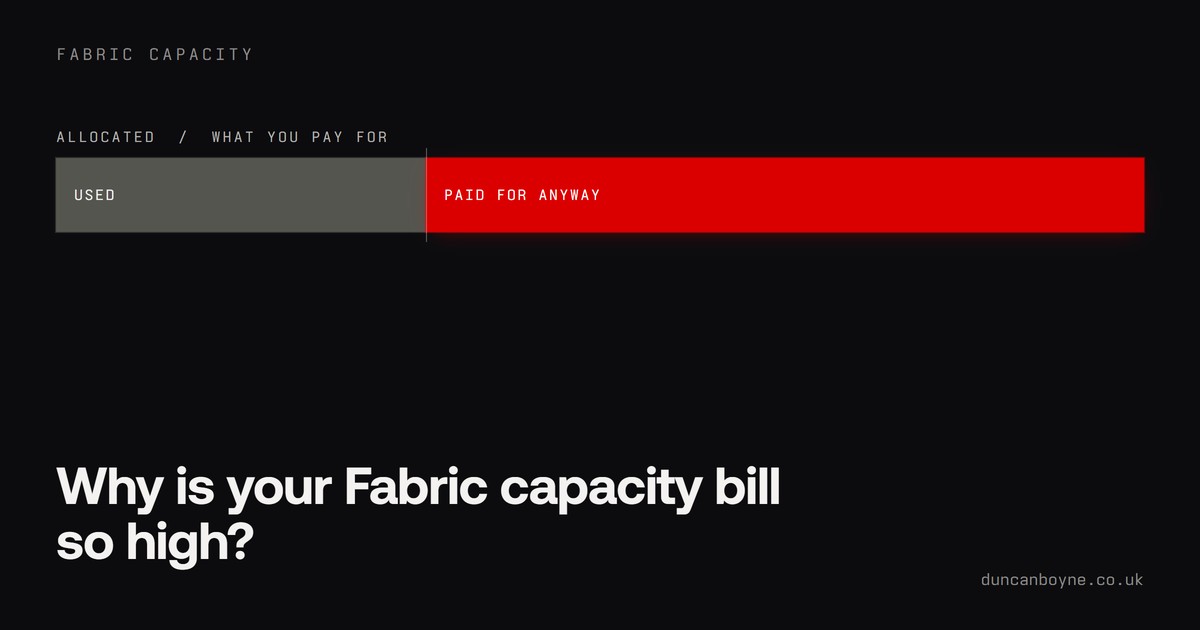
Why Is Your Fabric Capacity Bill So High?
Fabric charges for the compute you allocate, not the compute you use. That one fact explains most frightening capacity bills. How the billing works in plain English, the five usual culprits, the three cost features Microsoft shipped in a single week, and the triage to run first.

When Should You Move to Microsoft Fabric?
The most-watched Fabric video this week is 22,000 people asking the same question. The honest answer: move when your Power BI estate starts fighting its own workarounds, stay put while Pro is coping. The signs for each, what changed in August 2026, and the low-risk way in.
The Monthly Report Template That Updates Itself
A monthly business report has the same six sections every month: headline numbers, what changed, sales, operations, people, and what's next. Here's the template, why it works, and how to build it so the numbers fill themselves in on the first of the month and the only thing left to write is the commentary.

Getting Your Year End Reporting Ready Before the Auditors Arrive
Year end reporting is a project in itself: reconciling, chasing invoices, departmental spends, forecasts, budgets. Get your Power BI reports ready before the deadline, or hand the auditors an audit pack and let them check it themselves. Epicor, Infor, D365 and everything in between.
Quotes That Go Quiet: Automating the Follow-Up Without Annoying Anyone
A good quote follow-up is a quick check that the quote arrived, one friendly nudge after a week, and a phone call from the owner if it's still quiet after two. Job apps like Tradify, ServiceM8 and Jobber can send the nudges for you, while Xero has no quote reminders at all, so for a lot of trades the most useful automation is a weekly list telling the owner which quotes have gone quiet.
Financial Reporting Software for UK SMEs: What Your Accounting System Already Gives You, and When Power BI Sits on Top
For most UK SMEs the best financial reporting software is the accounting system you already have, used properly, with Power BI added on top when reporting needs to combine finance with sales, operations or people data, reach people outside finance, or show trends the ledger can't. Here's what Xero, QuickBooks, Sage and Business Central each give you and where the line is.
What Can a Small Business Automate? Where to Start, and What to Leave Alone
A small business can automate any job that happens daily or weekly, gets checked by eye, uses data already sitting in a system you pay for, and is easy to spot when it's wrong. That usually means a morning summary, invoice chasing or quote follow-ups. Leave judgement calls, warm customer conversations, constantly changing processes and twice-a-year jobs to people.
Small Business Dashboard Examples: What Eight Kinds of UK Business Actually Track
A good small business dashboard shows five to eight numbers the owner looks at weekly, each compared with a target or last year, on one page. Here are worked examples for eight common UK business types, what each one tracks and why, and what they have in common.
The 13-Week Cash Flow Forecast: A Template You Can Build This Week, Then Stop Rebuilding
A 13-week cash flow forecast is a weekly, rolling view of cash in and cash out for the next quarter, built from open invoices, known payments and expected sales rather than from the P&L. Here is the template row by row, how to keep it honest, and how to make it refresh itself from your systems.
Power Automate, Zapier or Make: Which Should a Small Business Use?
If your business runs on Microsoft 365 and your data lives in Outlook, SharePoint and Excel, use Power Automate, because you're probably already paying for it. If you live in lots of small web apps and don't use Microsoft 365, Zapier is the quickest to get going. If you need complicated branching on a tight budget, Make gives you the most for the money.
Sage Intacct Reporting: What the Built-in Reports Do Well, and When to Put Power BI on Top
Sage Intacct's own reporting is strong for anything that lives inside the ledger: dimensional P&Ls, multi-entity consolidation, financial report writing. Power BI earns its place when you need to combine Intacct with CRM, operations or people data, give reports to people without an Intacct login, or model things the ledger doesn't hold. Here's how to decide.
What Goes in a Monthly Management Accounts Pack (and How to Have It Ready by Day Five)
Monthly management accounts are the internal P&L, balance sheet, cash and KPI pack a business uses to run itself, produced within days of month-end rather than months later. Here is what a good pack contains, who it's for, and how to get it landing by working day five without anyone working the weekend.
The 7am Business Summary Email: One Message Instead of Six Logins
A daily business summary email is one short message that lands at 7am with the handful of things that need you today: overdue invoices, today's jobs or bookings, the supplier you owe, anything that went wrong overnight. It reads from the systems you already use, so nobody has to log into six of them before the kettle's boiled. Here's what goes in one, what makes it get read, and how it's built.
A Board Report Template That Gets Read (and Stops Being Rebuilt Every Month)
A good board report is six to ten pages, opens with a one-page summary the chair can read in five minutes, and every number on it traces back to a system. Here is the template, section by section, and how to make it build itself each month.
How to Automate Overdue Invoice Reminders (and When Xero Already Does It for You)
Xero, QuickBooks Online and Sage Accounting can all email overdue customers on a schedule, and for a lot of small firms switching that on is the whole job. It's worth going further only when chasing needs judgement: one morning list of who's late, who you owe and what's going out today, a phone list for the worst cases, and a record of who promised to pay when.

The Colour Crash
LEGO went from ten colours a year to 113, then crashed to 59. The company nearly died in the middle, and nobody wrote that story down. The data recorded it anyway. My Power BI Dataviz World Champs entry, live and clickable, plus everything that broke on the way.

The Report I Never Submitted
I found $2.4M hiding in a gap of less than half a percent, planned five pages around it, then talked myself out of entering. Round 1 of the Power BI Dataviz World Champs, and the report nobody was supposed to see.
Still Paying to Keep a Dead ERP Alive Just for the History?
Licence, support, a server and somebody's Friday afternoon, all to answer a question an auditor asks twice a year. How to archive the history into Power BI, reconcile it to zero, hand over an audit pack, and switch the old system off.

Top Tools for Power Platform Professionals in 2026
A practical 2026 list of Power Platform tools worth knowing across Power BI, Power Apps, Power Automate, Power Pages, Dynamics 365, Copilot Studio, learning resources and AI.

I Asked AI for a Website. It Built a Cathedral.
When Claude Fable dropped, everyone built the same landing page. I asked it for a living cathedral instead — where the floor is data quality, the pillars are revenue, and your decisions crack the foundations while you watch. Here's what it built, what broke, and why the idea still matters more than the tool.
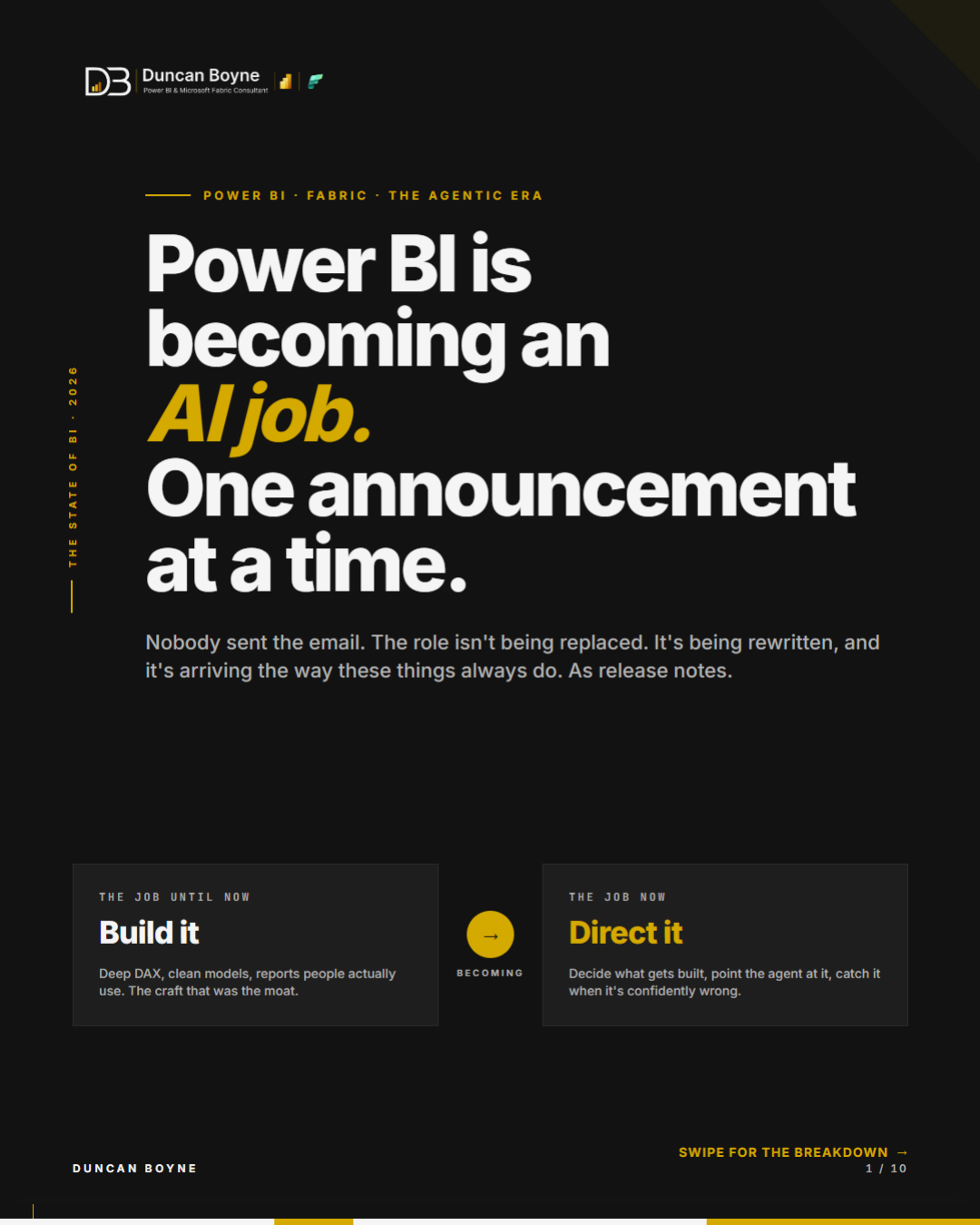
Power BI Is Becoming an AI Job, One Announcement at a Time
Five Power BI and Fabric announcements landed in one week. Taken together, they reveal a job shifting from building reports to directing agents, governing semantic layers, and knowing when the confident answer is wrong.
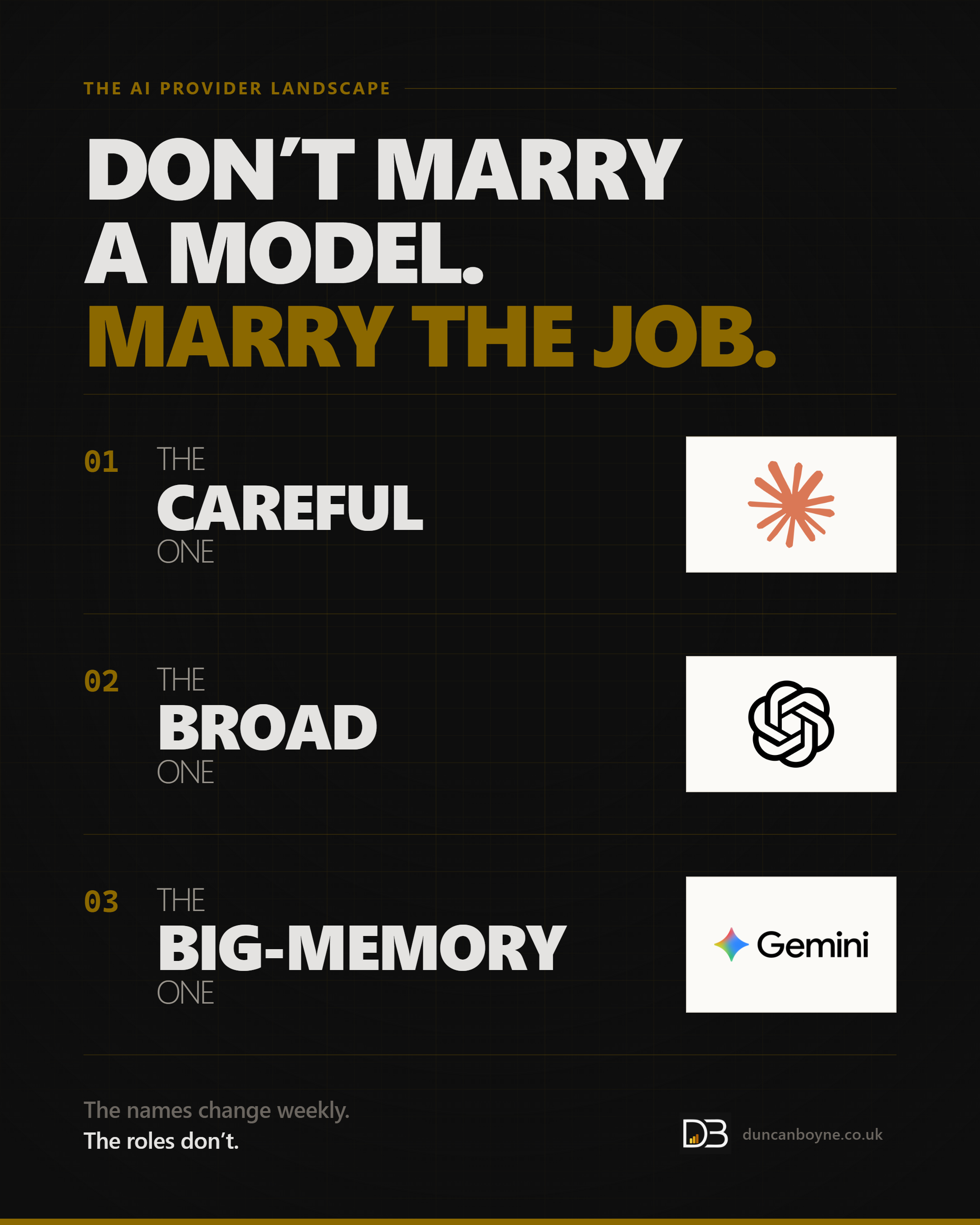
Three Tools, One Question: Which AI Actually Does Your Job?
The big three AI generalists aren't competing to be best — they've split the map. Claude for careful building, GPT for the broadest toolbox, Gemini for mountains of context. Here's what I actually reach for in mid-2026, where each one falls flat, and the niche players worth knowing. Don't marry a model. Marry the job.
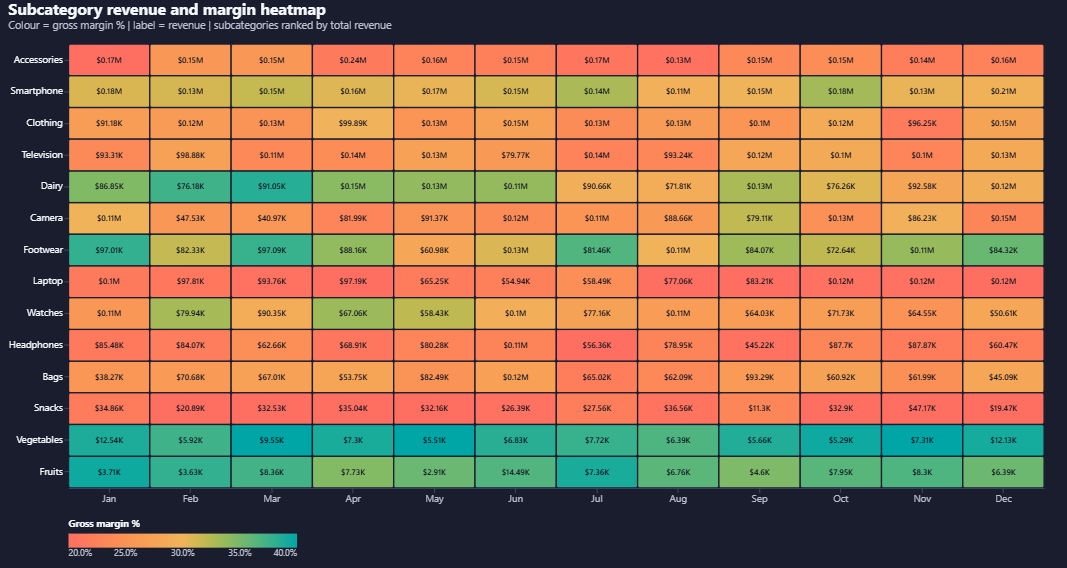
Build a two-measure heatmap in Power BI with Deneb
Power BI has no native heatmap. Here's how to build a better one in Deneb and Vega-Lite, with gross margin as the cell colour and revenue as the label, plus the full copy-paste spec.
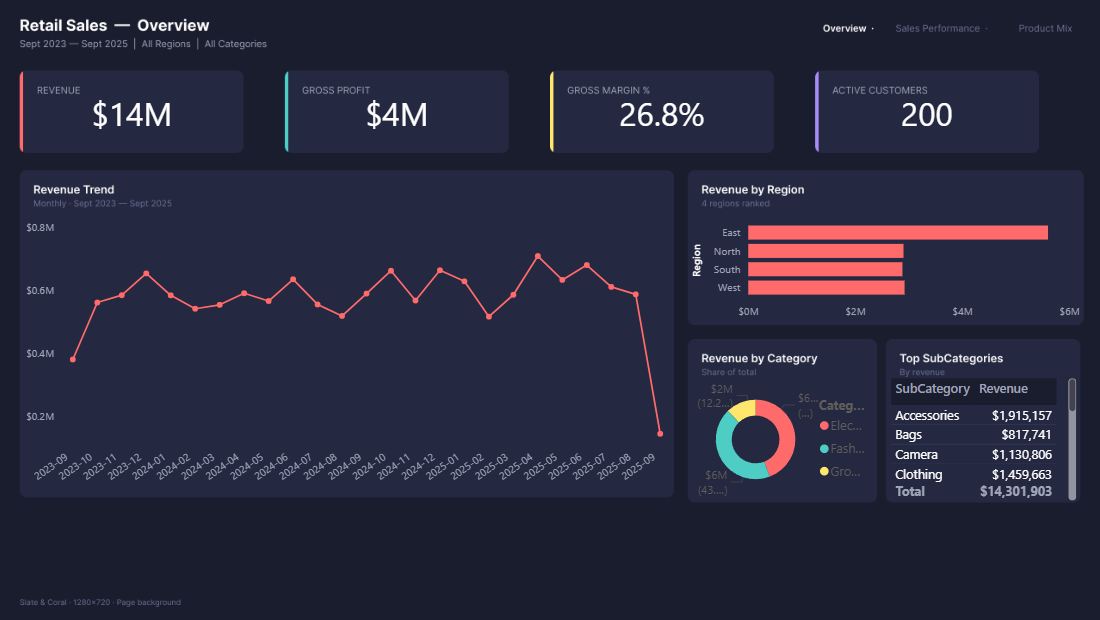
Building a Power BI report without opening Desktop
I built a three-page Power BI report through Claude Code, Figma MCP, powerbi-modeling-mcp, and pbi-cli without opening Desktop until validation. This is the honest pipeline and the twelve things that went wrong.
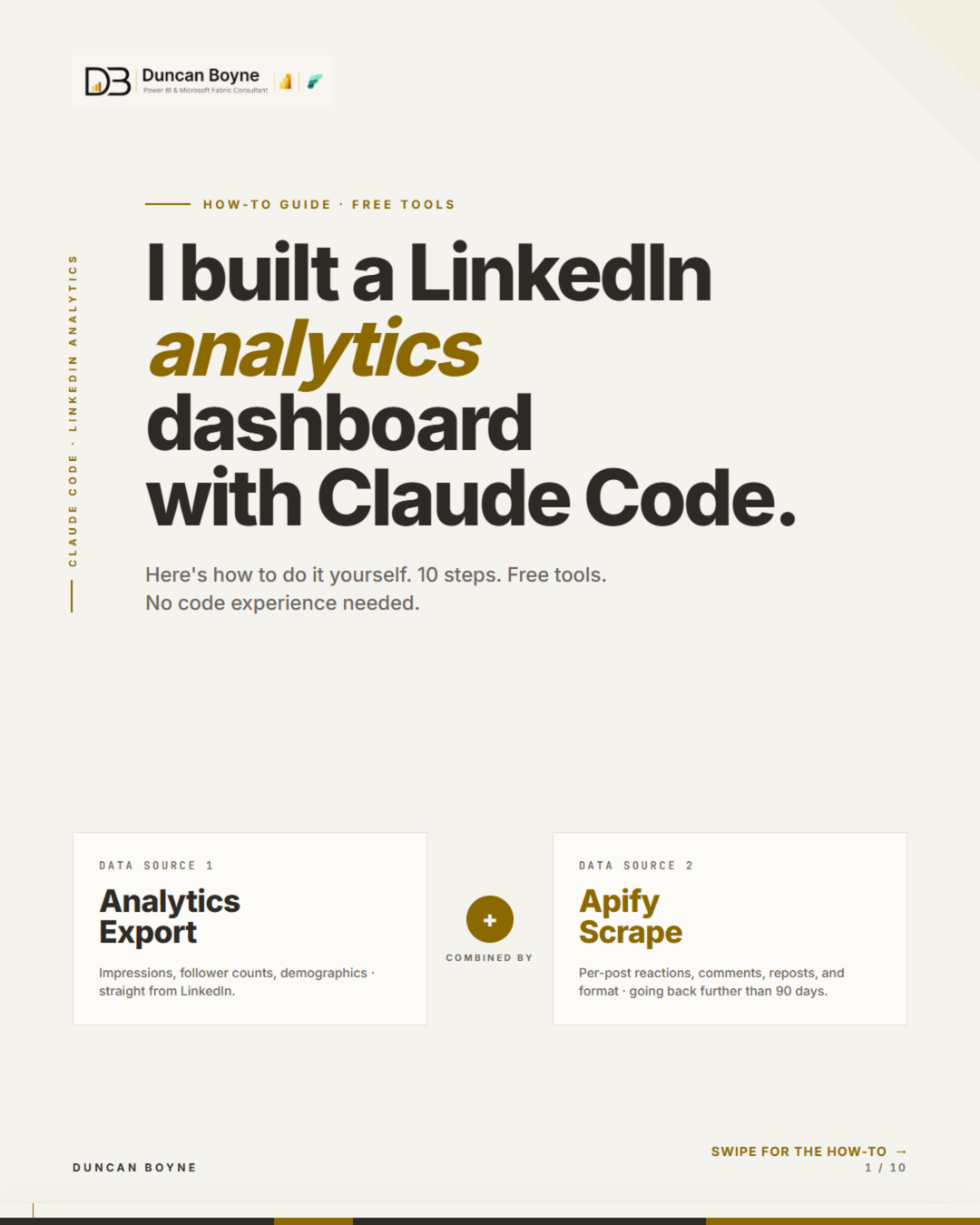
How I Built a LinkedIn Analytics Dashboard with Claude Code (and Open-Sourced It)
LinkedIn gives you 90 days of analytics. I wanted more. So I built a dashboard that combines the official export with an Apify scrape to show content format performance, day-of-week patterns, post quadrants, and full audience demographics — then open-sourced it as a Claude Code skill.
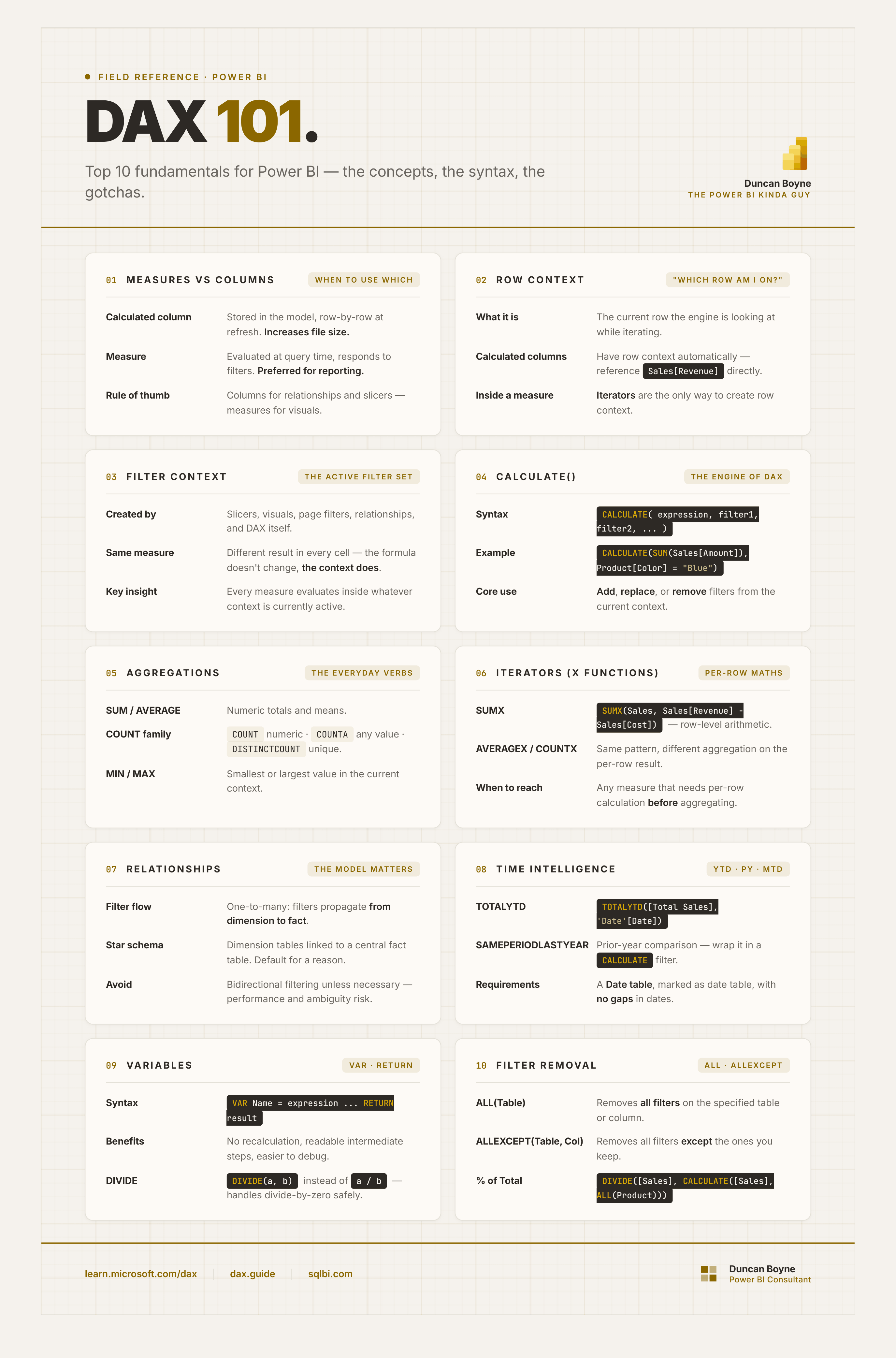
Top 10 DAX Fundamentals for Power BI
DAX is not hard. But it is different. These are the 10 concepts I would teach someone starting from scratch — the things that unlock everything else.
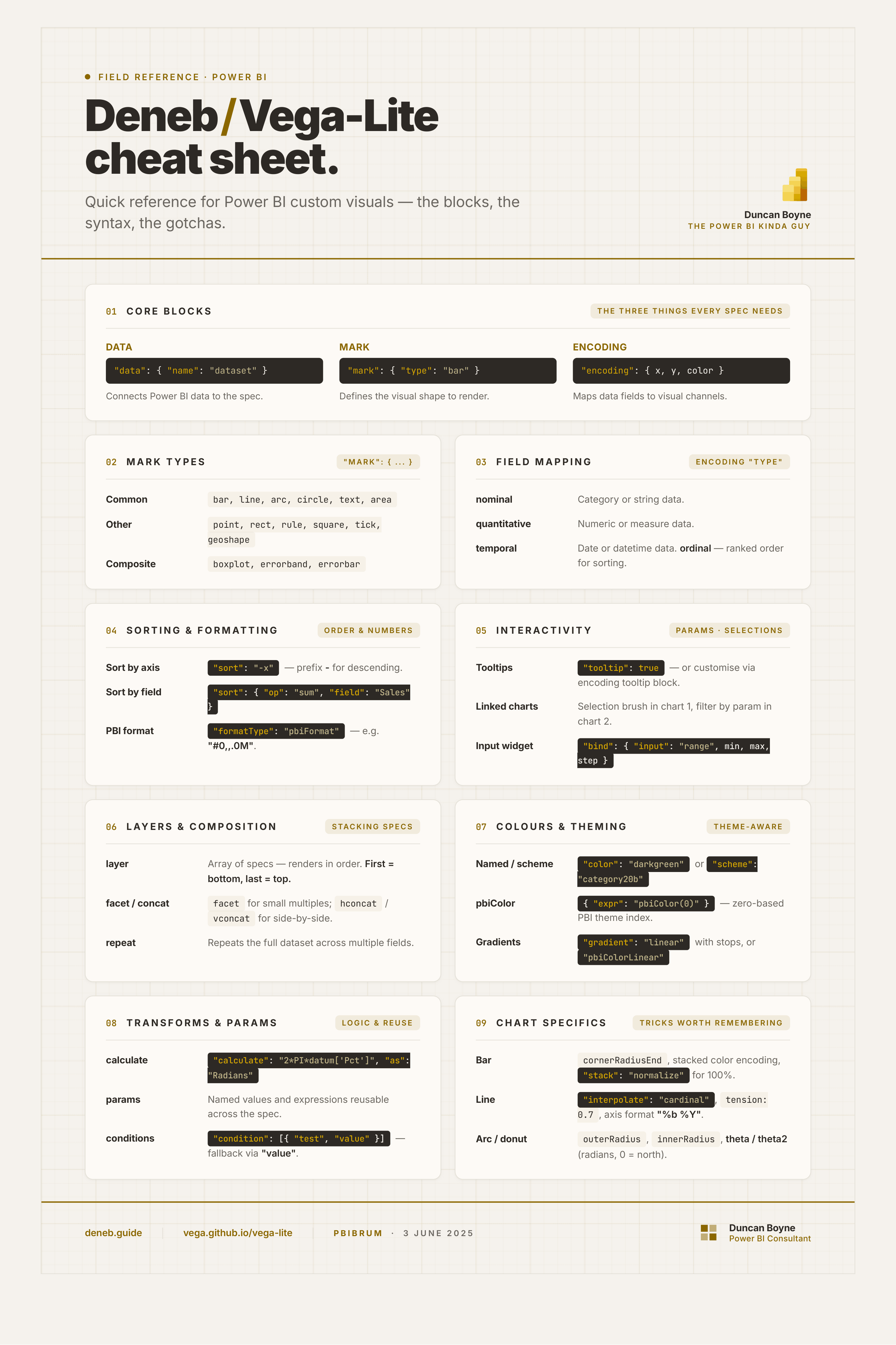
The Deneb / Vega-Lite Cheat Sheet I Kept Wishing Existed
A single reference for the Deneb / Vega-Lite things I reach for most often — the blocks, the syntax, and the gotchas. Built while preparing my PBIBRUM talk.
Is Your Power BI Data Ready for Copilot? Ask It Thirty Questions First
Copilot does not fix a semantic model, it inherits one. Thirty real business questions with verified answers turns AI readiness from an opinion into a pass rate you can watch move, and surfaces the capacity cost before the bill does.
My AI Adoption Was Immediate. Except in Power BI.
I was an early AI adopter everywhere — except in Power BI, my actual job. Here's why AI can read your data, but still can't tell you why the numbers are wrong.
Six Reports, Six Different Revenue Numbers
When every report is technically live and none of them agree, it is rarely a Power BI problem. How to work out which number is right in an afternoon: write the definition down first, then trace each report back to source.
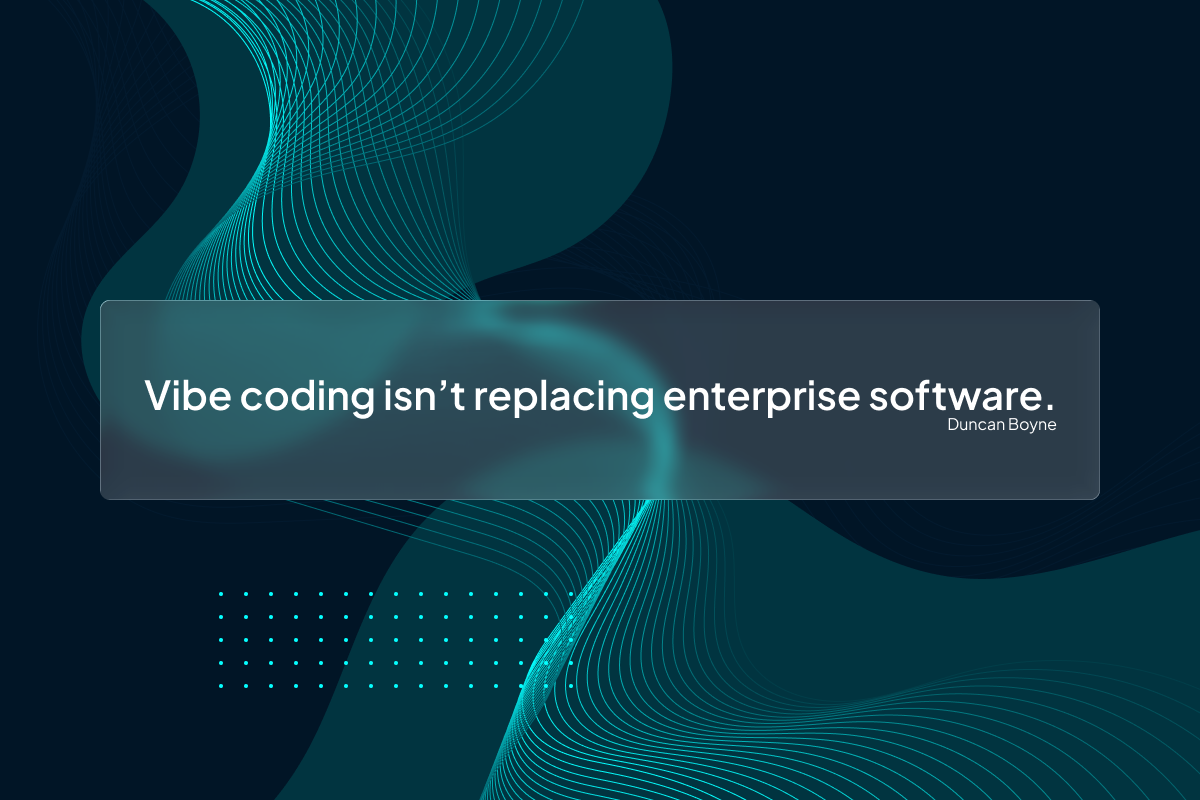
SaaS Is Dead for Small Businesses but Surging for Enterprises
Vibe coding isn't replacing enterprise software — it's filling the gap for small businesses who can't afford £8k ticketing systems. Here's why the distinction matters.
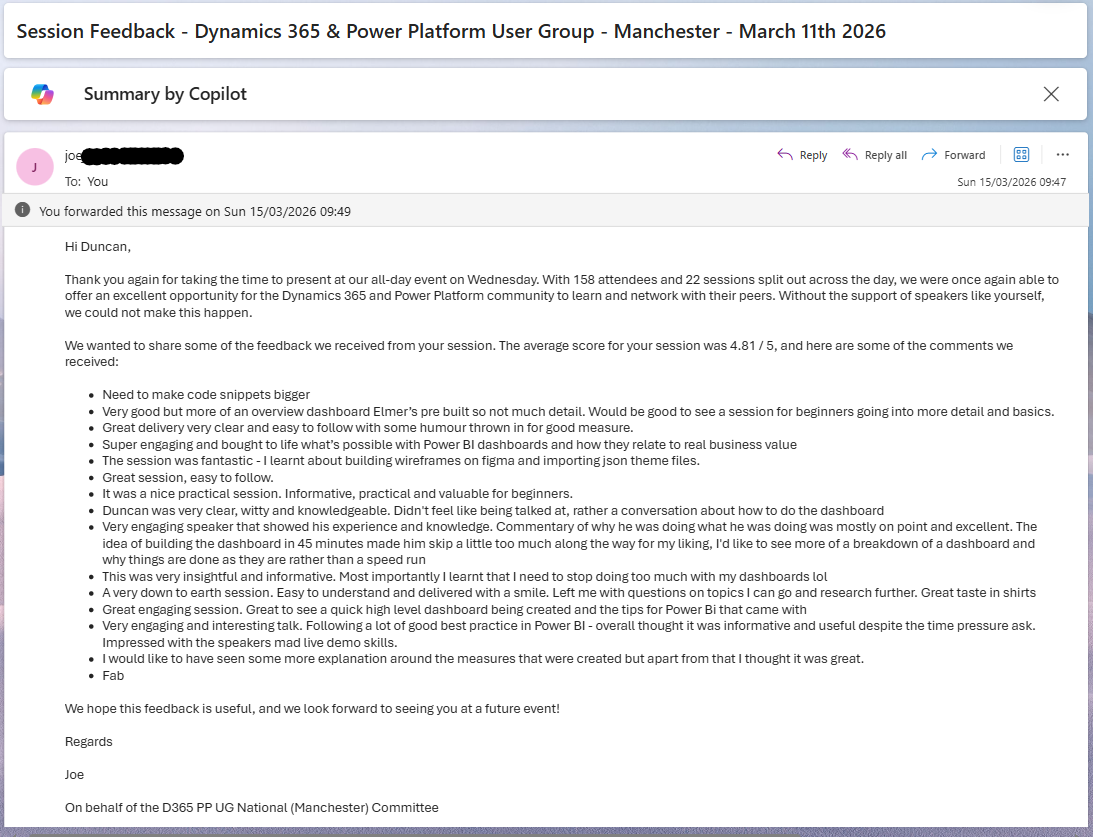
Speaker Feedback – D365 & Power Platform User Group Manchester
I received my first proper anonymous session feedback yesterday. 4.81 out of 5. Here is what people said, what I am taking away from it, and why "Fab" might be my favourite review of all time.

The Accidental Quest to Become a Modern Polymath
I was laid in bed at 2am watching YouTube Shorts when I started thinking about something slightly dangerous. What if I actually tried to become a modern polymath?
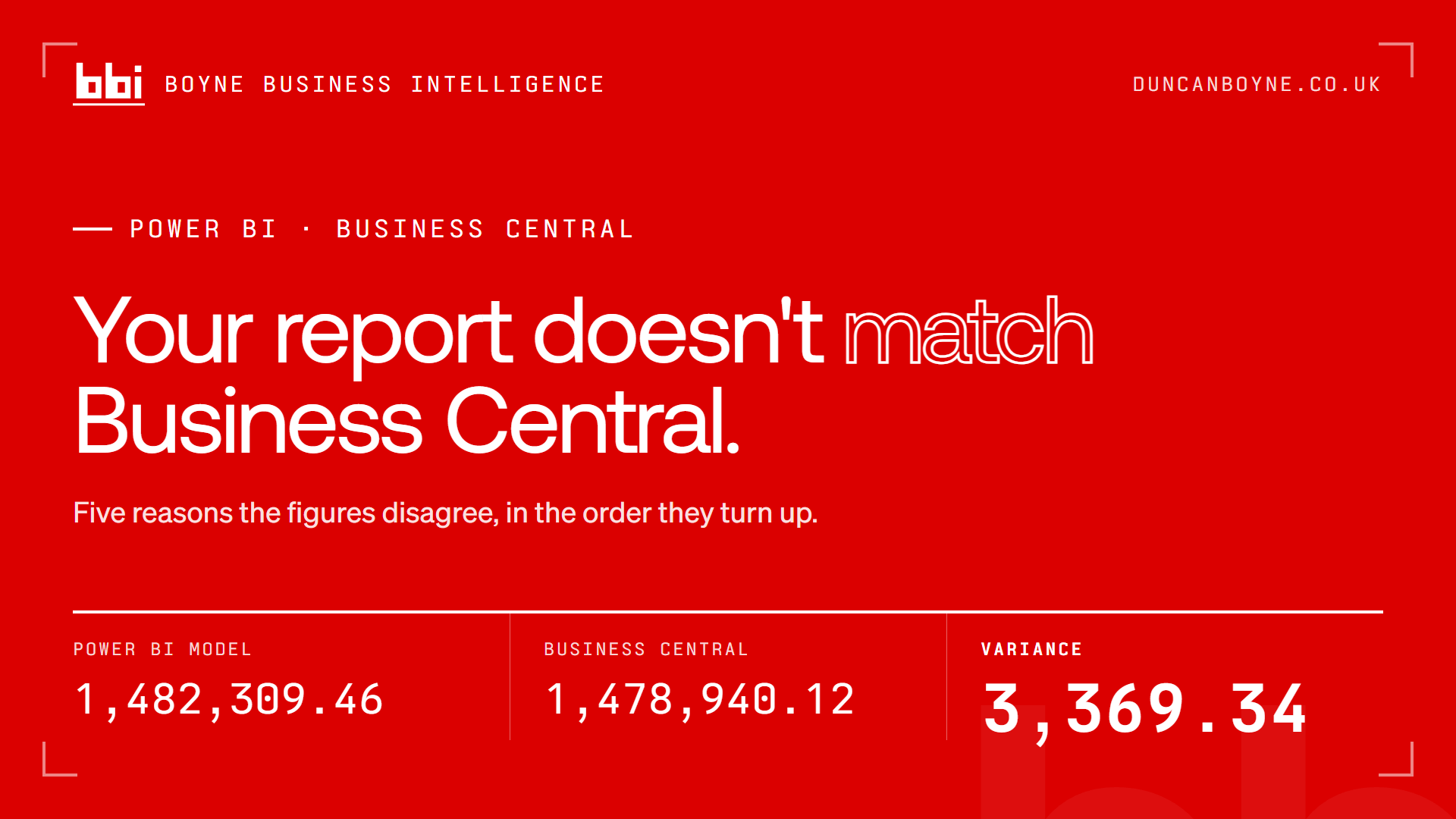
Why Your Power BI Report Doesn't Match Business Central
Five reasons a Power BI figure disagrees with Dynamics 365 Business Central, in the order they turn up: document date versus posting date, the sign on income accounts, unposted orders counted as sales, Amount versus Amount (LCY), and scope. Plus the one check that ends the argument permanently.
Steal My Website
Fork it. Clone it. Break it. Make it yours. Here's how I built my site and how you can steal it.
I Cried Today
Being alive is not a small thing. Some days, it's everything.
Claude Code Has Changed My Life
Claude Code, creativity, speed, and the reality of turning ideas into production in hours, not months.
Reasons to Stay
Content warning: suicide and mental health. A letter to a stranger about reasons to stay, reasons to exist, and reasons to endure.
This Is a Power BI Report I Actually Want to Open (Part 1)
Why most personal dashboards don't last, and why motivation matters more than measures ever will. Part 1 of building a Power BI report I actually want to open.